Create Purchase Order from Sales Order
Automatically Create Purchase Order When Confirming the Sales Quotation
This feature is available in Odoo, and its name is: MTO | Make-to-Order
First of all, if you want to use this feature, you should keep these points in mind:
- It’s an option that is not available in your database by default. You should contact the All in One Support Team so we can enable it for your database.
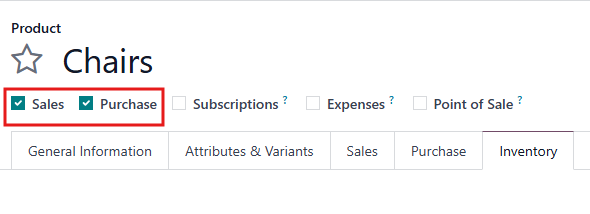
- Purchase and Sales options have to be selected in the product configuration.
- It will be configured manually for each product.
- You have to assign a vendor to the products that will be using MTO. If you don’t assign vendors, it won’t work.
To do so, open the Purchase tab in the product creation view, you can assign a specific vendor to the product.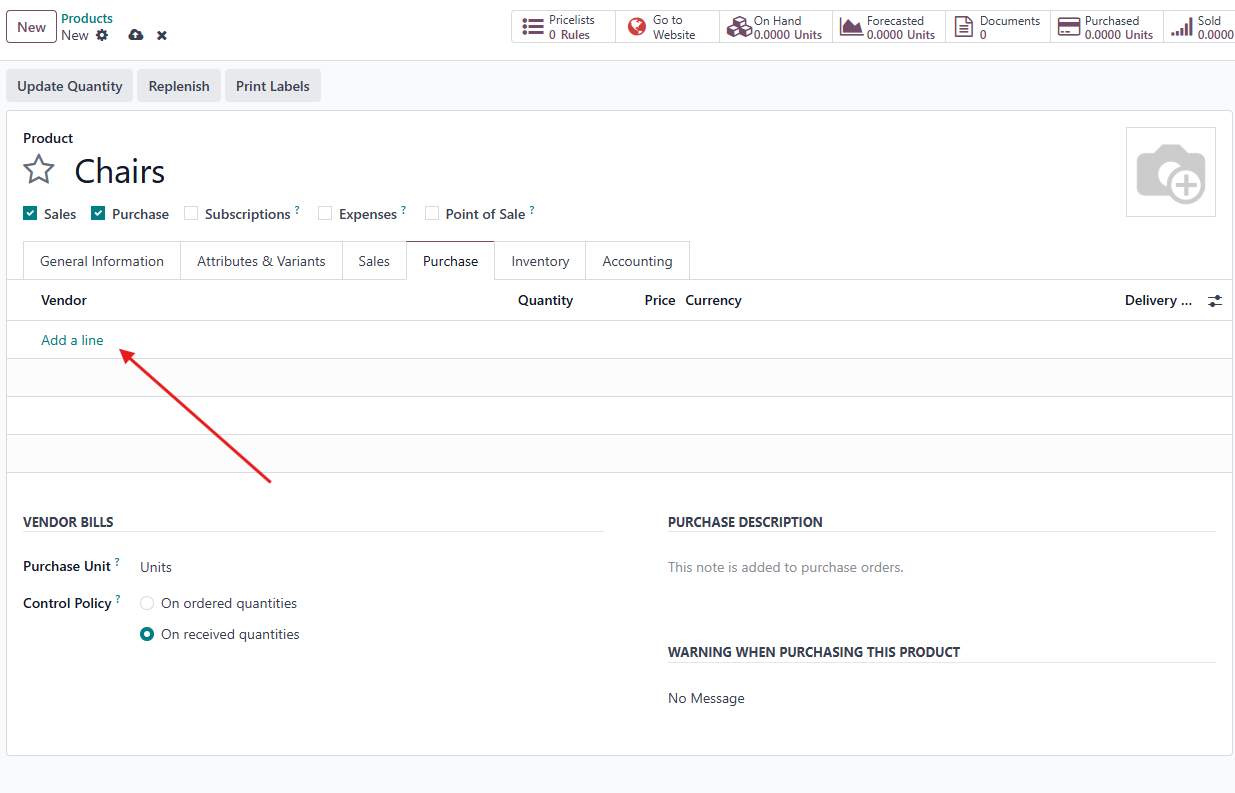
- After we enable it you can simply go to Inventory app ‣ Products ‣ Products, then select an existing product, or click New to configure a new one.
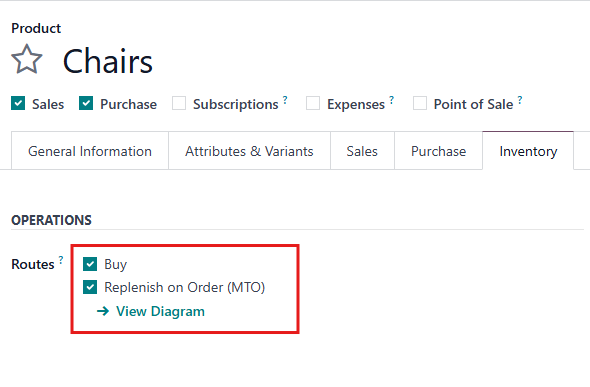
On the product page, select the Inventory tab and enable the Replenish on Order (MTO) route in the Routes section, along with the Buy Route.
The Replenish on Order (MTO) route does not work unless another route is selected as well. This is because Odoo needs to know how to replenish the product when an order is placed for it (buy or manufacture it).
Now, after you create a sales order for this product, it will automatically generate a purchase order for the same product and quantity. 🙂
Rating
There are no comments for now.
to be the first to leave a comment.