Import Products
How to Import Products?
- You need to create an Excel sheet that matches Odoo’s product fields.
Go to Inventory App > Products > Products > New and check the available fields in standard Odoo.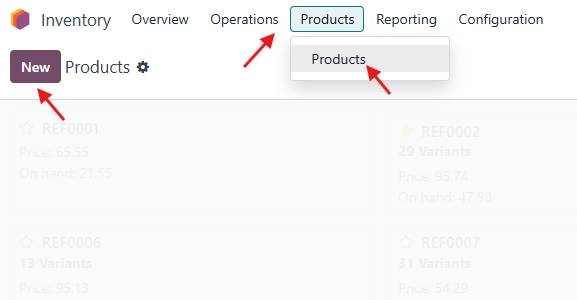
- If you’re satisfied with the available fields, you can proceed.
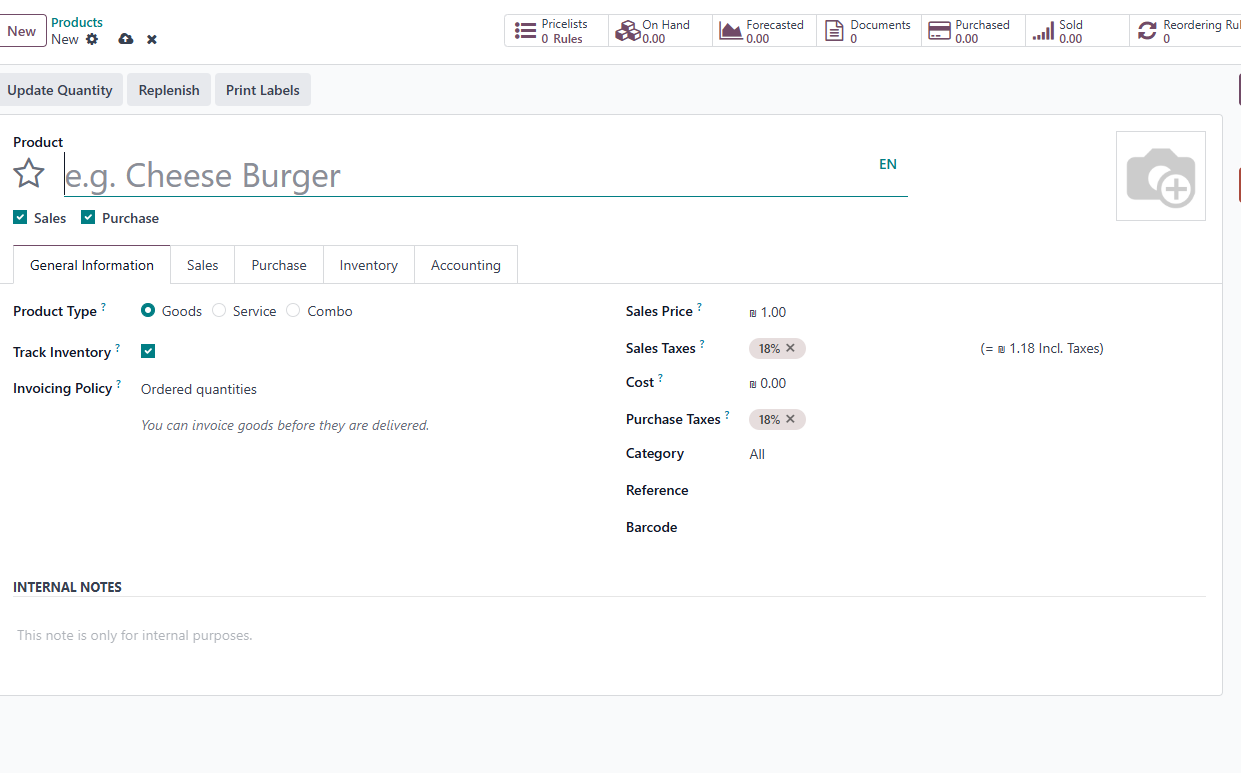
If you need to import additional information, please contact the All in One Support Team so we can customize this view for you.
Do not forget to check the other taps, Sales, Purchase, etc.
If you want to import Product Category Please check this article: Import Product Categories (Link: https://www.aione.biz/slides/slide/10/share) - Next, create your Excel sheet for importing.
Each field should be added as a separate column — for example:
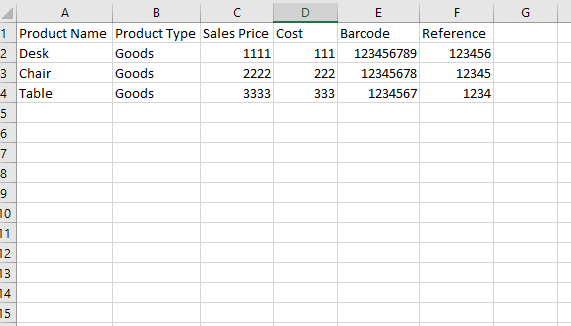
- After filling in all the correct information, go back to Inventory App > Products > Products,
then click on the gear icon ⚙️ > Import Records.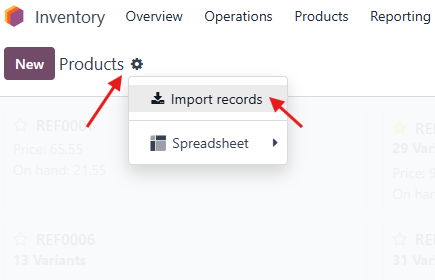
- Upload your data file, select the correct Excel sheet, and map the columns with the corresponding Odoo fields.
Usually, Odoo detects them automatically, but if not, you can manually search and match the fields as shown here: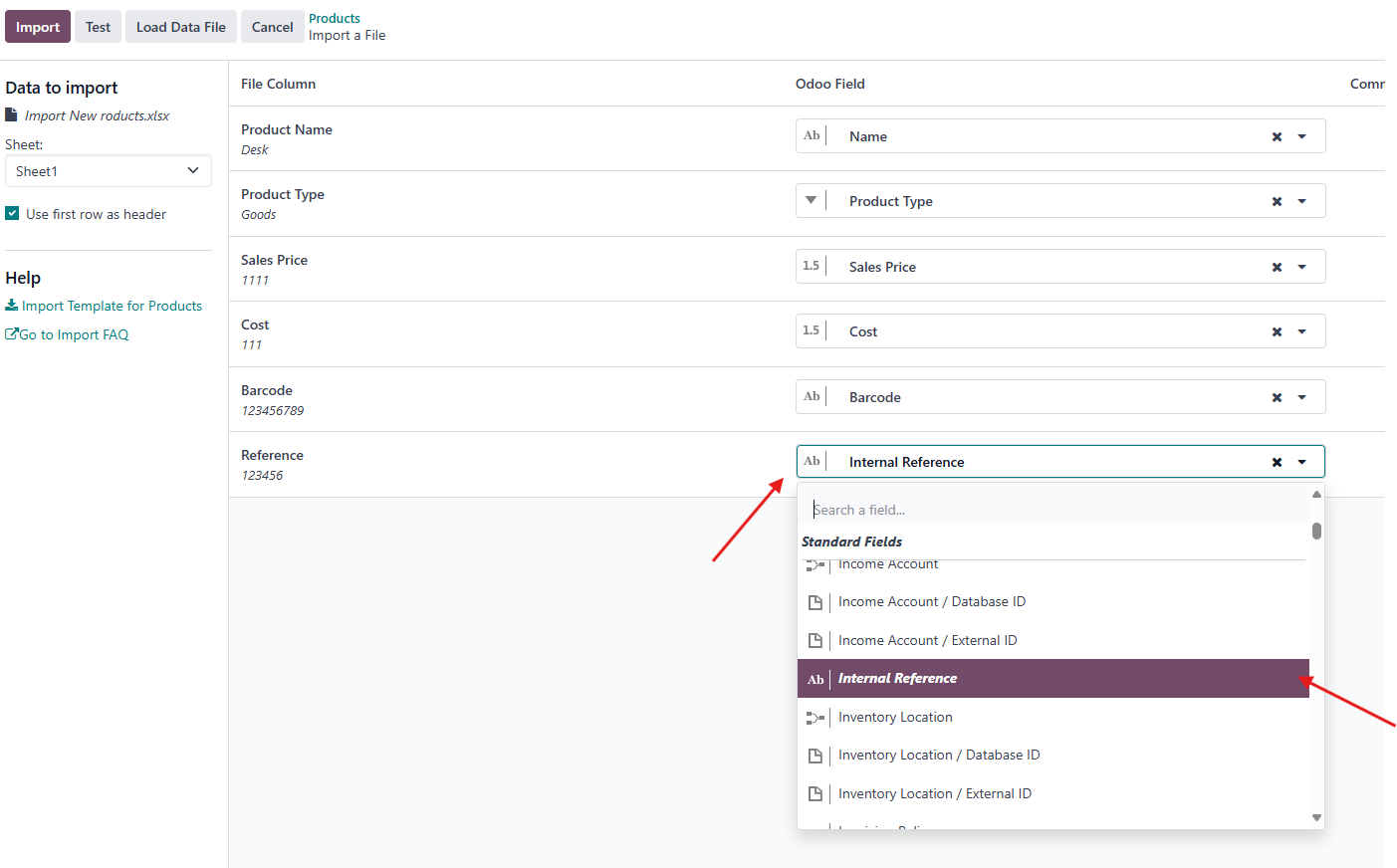
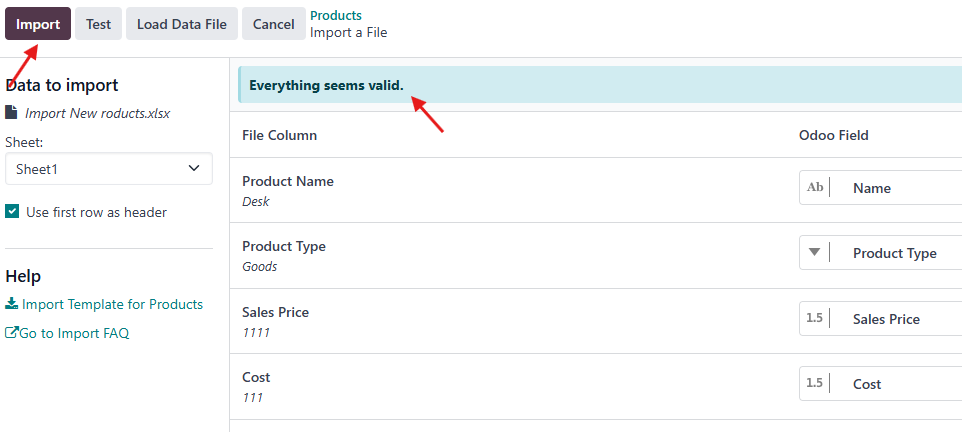
- Finally, click Test to ensure there are no errors, and then Import if everything looks correct.
Rating
There are no comments for now.
to be the first to leave a comment.